Annotation Tools
ShotX provides a full suite of annotation tools, available both in the capture overlay (annotate during region capture) and the standalone image editor.
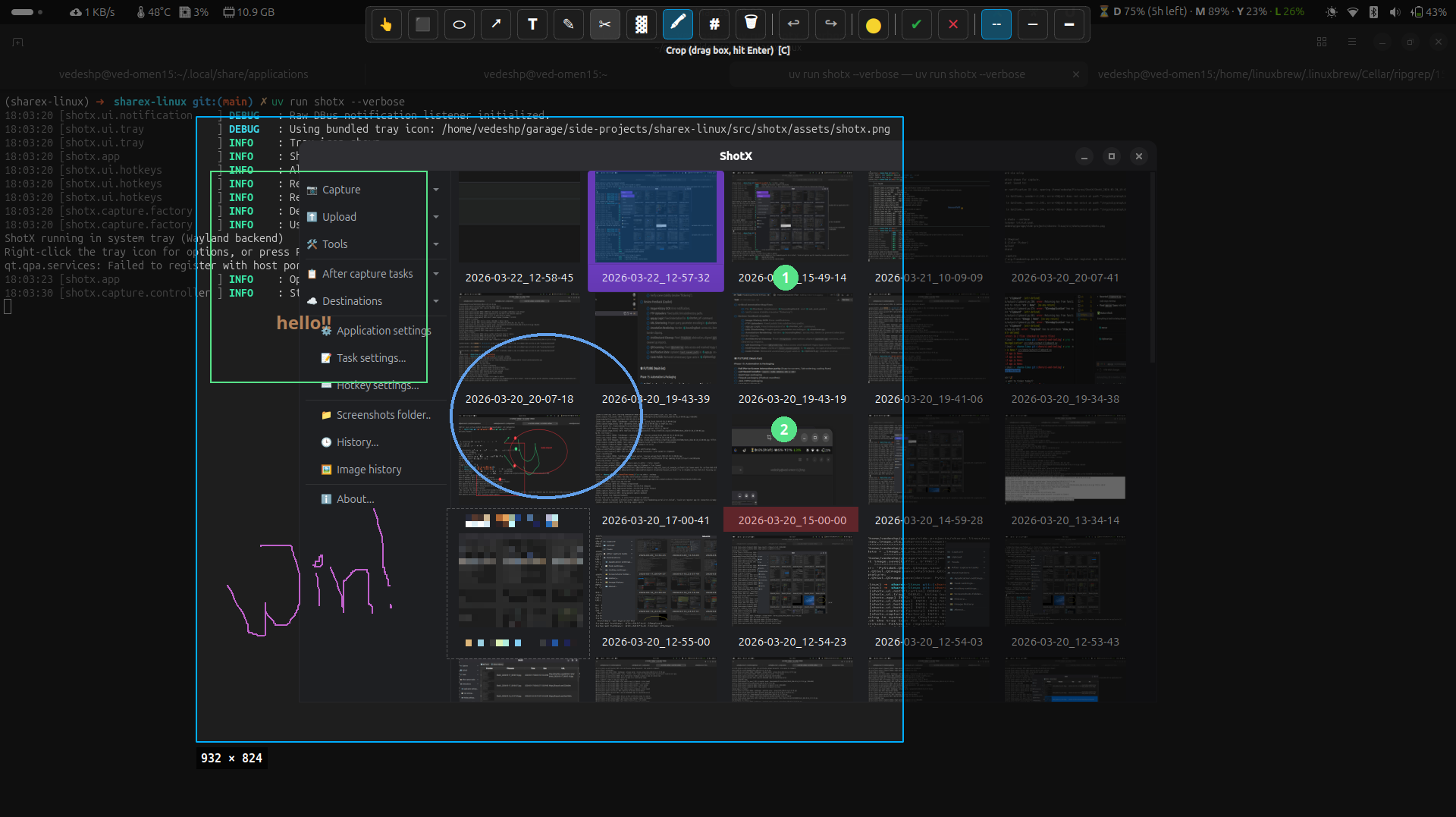
Available Tools
| Tool | Description | Shortcut |
|---|---|---|
| Select | Move or resize existing annotations | V |
| Arrow | Draw arrows with proportional heads | A |
| Rectangle | Draw rectangles (outlined) | R |
| Ellipse | Draw ellipses (outlined) | E |
| Text | Add text labels (resizable with Ctrl+Shift++ / Ctrl+-) | T |
| Freehand | Free-form drawing | F |
| Crop | Drag a box, then press Enter to apply | C |
| Blur | Pixelate/blur a rectangular area | B |
| Highlight | Semi-transparent highlight marker | H |
| Step Number | Auto-incrementing numbered circles (right-click toolbar to reset) | S |
| Eraser | Remove annotations by clicking | X |
Controls
| Action | Control |
|---|---|
| Undo | Ctrl+Z |
| Redo | Ctrl+Y |
| Cancel | Esc |
| Confirm | Enter or Ctrl+Enter |
| Change Color | Color picker in toolbar |
In Capture Overlay
When After Capture Action is set to Annotate (the default for region capture), selecting a region transitions into annotation mode:
- Select a region with the rubber-band tool
- A toolbar appears with all annotation tools
- Annotate as needed
- Press Enter to save or Esc to cancel
In Image Editor
The standalone editor (shotx --edit) provides the same tools with additional capabilities like zoom, pan, crop, and effects. See Image Editor.